DXF
2D floorplan
Drop it into AutoCAD, LibreCAD, or QCAD. The export most consumer scanners will not give you, and the one a CAD or BIM workflow needs.

ios app · free, no tier
A free LiDAR room scanner for iPhone and iPad.
Capture rooms with the LiDAR scanner on iPhone and iPad. Get DXF, USDZ, a quantities PDF, photos and notes. On-device, free, ad-free. No account, no paid tier. Your scan stays yours.
live capture and export
open the web viewerwhat comes out
The geometry is the easy part. What usually gets stranded is everything around it: the measurements, the location, the notes and photos you took standing in the room. The app keeps all of it.
DXF
Drop it into AutoCAD, LibreCAD, or QCAD. The export most consumer scanners will not give you, and the one a CAD or BIM workflow needs.
USDZ
For AR Quick Look on iOS and the web viewer. The same file opens on a desktop browser or in someone's hand.
Floor area, wall area, paint volume, and room count per project. The takeoff is already done by the time you stop scanning.
ZIP
DXF, USDZ, report, photos, voice and text notes, and the GPS pin, in one archive ready to hand off.
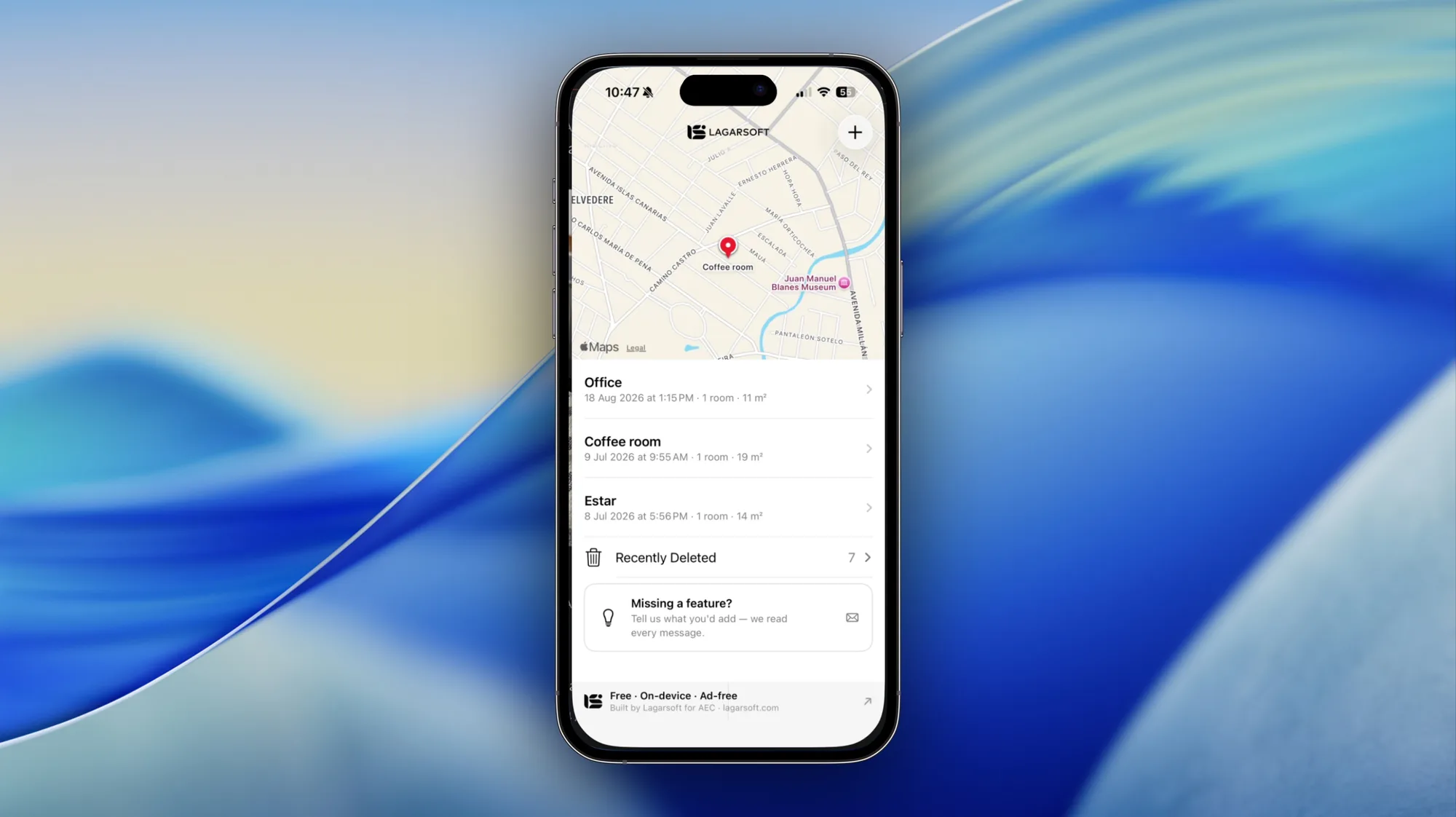
the home screen
Projects open to a map. Each one carries its date, room count, and floor area, so the takeoff is visible before you tap in.
the principle
01
On-device
The capture and the exports run on your iPhone or iPad. Nothing leaves the device unless you send it.
02
No account
No sign-in, no email gate, no cloud project to manage. Open the app and scan.
03
No tier
Free, ad-free, and the same on day one as on day one hundred. The export is not the upsell.
view it anywhere
Drag a USDZ into usdz-viewer.lagarsoft.com and the floorplan renders in Three.js, with a reset view and a file switcher. No sign-in, nothing to install, works on desktop, tablet, or phone. Send the file to anyone and they open it the same way.
Getting a RoomPlan scan to render faithfully on the web is the hard part. We wrote up the converter behind it, USDZ to Three.js, matching iOS fidelity, in this post.
why free
We build production-grade software for AEC, MEP, and real estate teams. That is the work. These are tools we needed and made open because the principle behind them is the one that runs through everything we do: you should be able to verify the work before you trust the people who made it. A tool that runs on-device and hands you everything makes that argument by itself.
We wrote up the launch in more detail on the blog: Scan it, own it: a free LiDAR scanner with no tiers.
faq
Yes. It is free, ad-free, with no account, no tier, and no upsell. Every export, including DXF, USDZ, the quantities PDF, and the full ZIP bundle, is included.
Any iPhone or iPad with a built-in LiDAR sensor: iPhone 12 Pro and later Pro models, iPad Pro from 2020 onward, and the iPad Pro M-series lineup.
DXF for a 2D floorplan, USDZ for a 3D mesh, a PDF report with floor area, wall area, paint volume, and room count, and a ZIP bundle of all of the above plus your photos and voice or text notes.
No. Capture and exports run entirely on-device. Nothing is uploaded unless you choose to share an export yourself.
No. There is no sign-in, no email gate, and no cloud project to manage. Open the app and scan.
Yes. Drop it into usdz-viewer.lagarsoft.com and the floorplan renders in the browser via Three.js. No install, no sign-in. Works on desktop, tablet, or phone.
A 2D floorplan you can open in AutoCAD, LibreCAD, or QCAD. It is the format most consumer scanners do not export, and the one a CAD or BIM workflow needs.
iPhone and iPad with LiDAR. No account, no upsell.